根据上一个文章实现了单个的网络互通 使用tinc进行组网并跨网段互通
原来的网络架构如下:
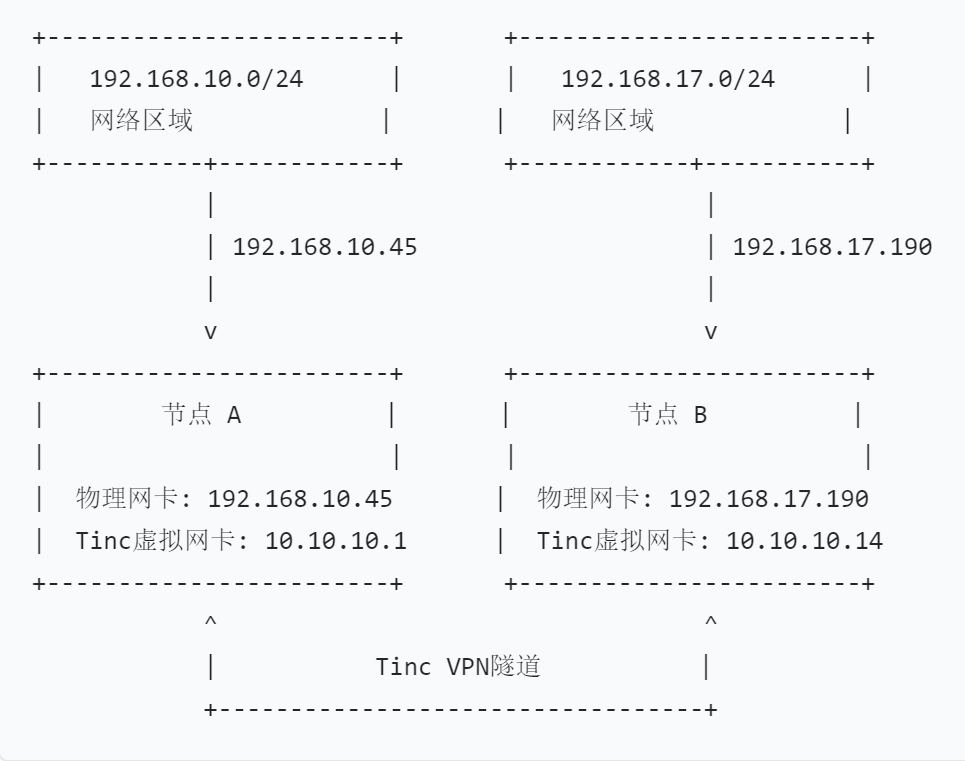
上一篇仅实现了192.168.17.0/24访问192.168.10.0/24的网段,不能192.168.10.0/24访问192.168.17.0/24
现在和另一个网段192.168.20.0/24实现网段互通。
双网段互通
网络架构
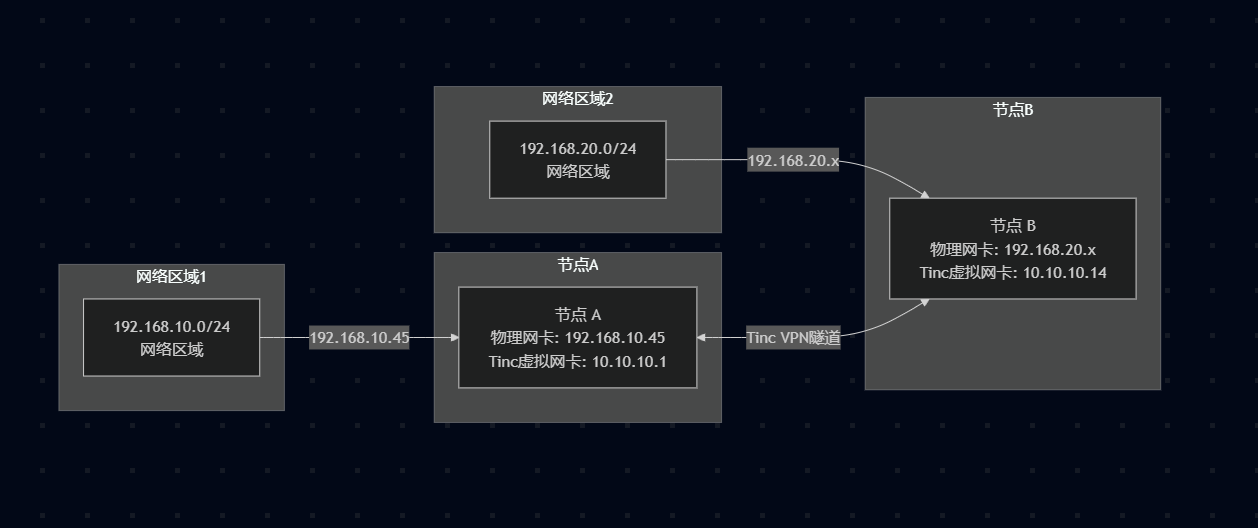
现在想实现的效果:
- 192.168.10.0/24 可以访问 10.10.10.0/24
- 192.168.10.0/24 可以访问 192.168.20.0/24
192.168.20.0/24 可以访问 192.168.10.0/24
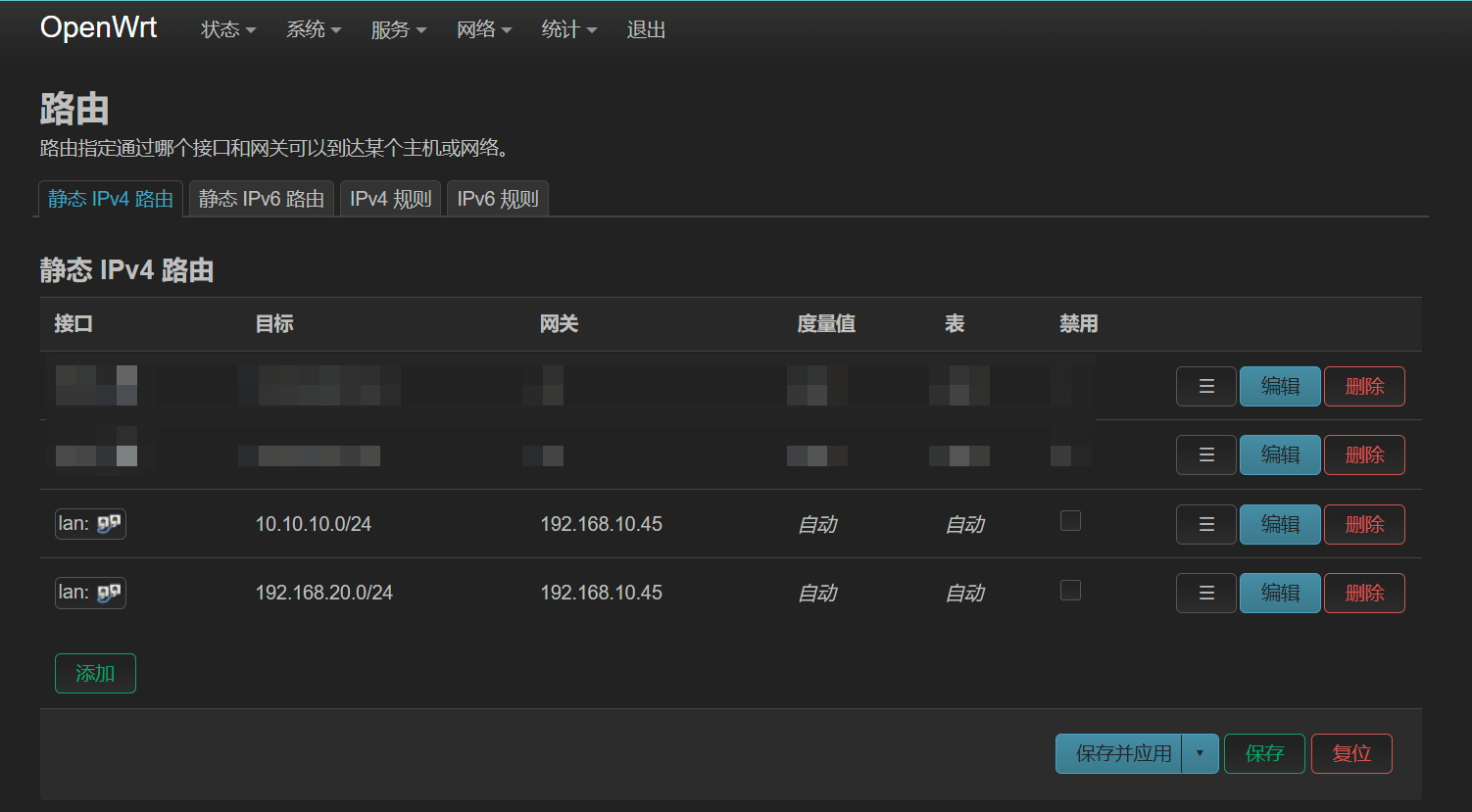
添加路由
配置转发
之前配置的是
iptables -t nat -A POSTROUTING -d 10.10.10.0/24 -o eth0 -j MASQUERADE
可以使得访问192.168.10.0/24的网段
先实现效果1 (192.168.10.0/24 可以访问 10.10.10.0/24 ) 在 10.10.10.1中增加iptables命令
# 对目的为10.10.10.0/24网段进行nat,网口为tun0
iptables -t nat -A POSTROUTING -d 10.10.10.0/24 -o tun0 -j MASQUERADE
这样192.168.10.0/24的网段的其他机器可以访问10.10.10.0/24了。
windows下nat转换
之前都是linux下作为nat转换的,但是192.168.20.0/24的网段中这台是window 10机器。
使用管理员权限的powershell运行下面命令
# 获取网卡
PS C:\Windows\system32> Get-NetAdapter

Name                      InterfaceDescription                    ifIndex Status       MacAddress             LinkSpeed
----                      --------------------                    ------- ------       ----------             ---------
tinc                      TAP-Win32 Adapter V9                         23 Up           00-FF-B3-72-A3-26        10 Mbps
以太网                    Intel(R) Ethernet Connection (2) I219-V      19 Up           00-23-24-D9-3D-24         1 Gbps
vEthernet (Default Swi... Hyper-V Virtual Ethernet Adapter             32 Up           00-15-5D-C1-61-07        10 Gbps
蓝牙网络连接 4            Bluetooth Device (Personal Area Ne...#4      47 Disconnected 04-7F-0E-4D-97-A8         3 Mbps
OA                        WireGuard Tunnel                             12 Up                                   100 Gbps
WLAN                      MediaTek Wi-Fi 6/6E Wireless USB LAN...       5 Up           90-DE-80-D8-B3-77       1.2 Gbps
设置指定网卡进行转发
PS C:\Windows\system32> Set-NetIPInterface -ifAlias 'tinc' -Forwarding Enabled
查看已配置转发的网卡
PS C:\Windows\system32> Get-NetIPInterface -Forwarding Enabled

ifIndex InterfaceAlias                  AddressFamily NlMtu(Bytes) InterfaceMetric Dhcp     ConnectionState PolicyStore
------- --------------                  ------------- ------------ --------------- ----     --------------- -----------
23      tinc                            IPv6                  1500              55 Enabled  Connected       ActiveStore
23      tinc                            IPv4                  1500              55 Disabled Connected       ActiveStore
配置转发规则
PS C:\Windows\system32> New-NetNat -Name VPNNAT -InternalIPInterfaceAddressPrefix "10.10.10.0/24"


Name                             : VPNNAT
ExternalIPInterfaceAddressPrefix :
InternalIPInterfaceAddressPrefix : 10.10.10.0/24
IcmpQueryTimeout                 : 30
TcpEstablishedConnectionTimeout  : 1800
TcpTransientConnectionTimeout    : 120
TcpFilteringBehavior             : AddressDependentFiltering
UdpFilteringBehavior             : AddressDependentFiltering
UdpIdleSessionTimeout            : 120
UdpInboundRefresh                : False
Store                            : Local
Active                           : True
到这就已经配置完成了。
配置iptables&&路由
要想192.168.10.0/24访问192.168.20.0/24,那么在192.168.10.0/24得有个网关才行,正巧192.168.10.45是tinc的节点(10.10.10.1)。那么在10.10.10.1中增加iptables规则:
# 目的地址为192.168.20.0/24
iptables -t nat -A POSTROUTING -d 192.168.20.0/24 -o tun0 -j MASQUERADE
配置完成后192.168.10.0/24的设备知道了192.168.20.0/24的网关是192.168.10.45,但是192.168.10.45不知道怎么到192.168.20.0/24啊,这里得指定个路由
sudo ip route add 192.168.20.0/24 via 10.10.10.5
完成
至此,基本工作都已完成。局域网下其他机器都可访问192.168.20.0/24、10.10.10.0/24 。
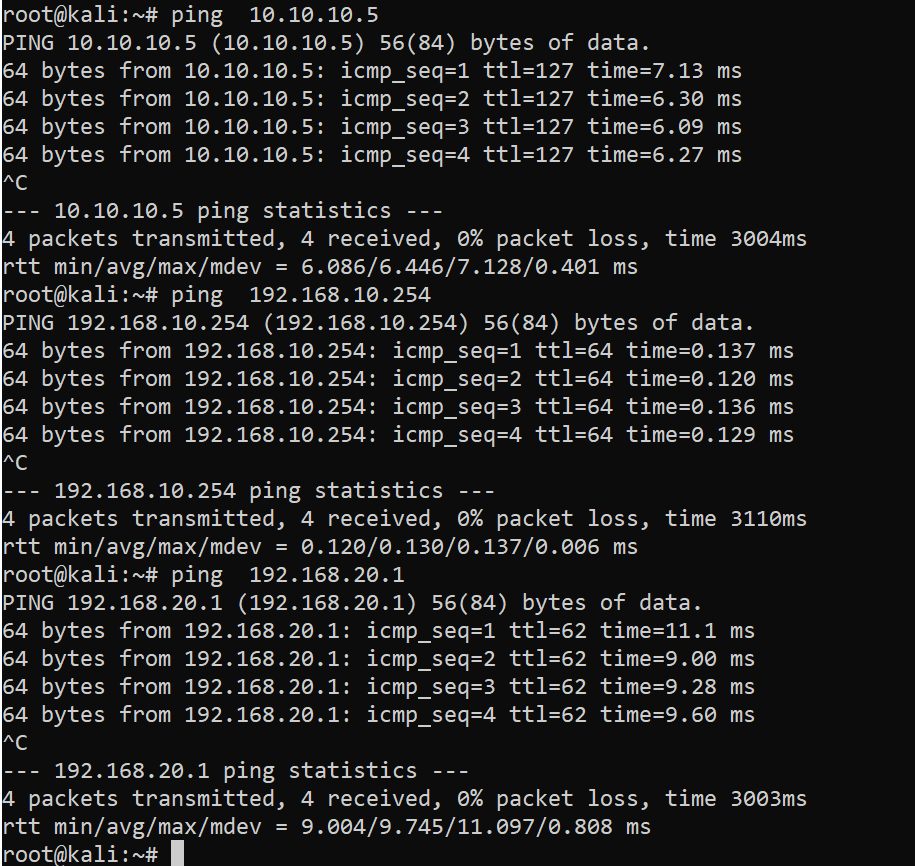
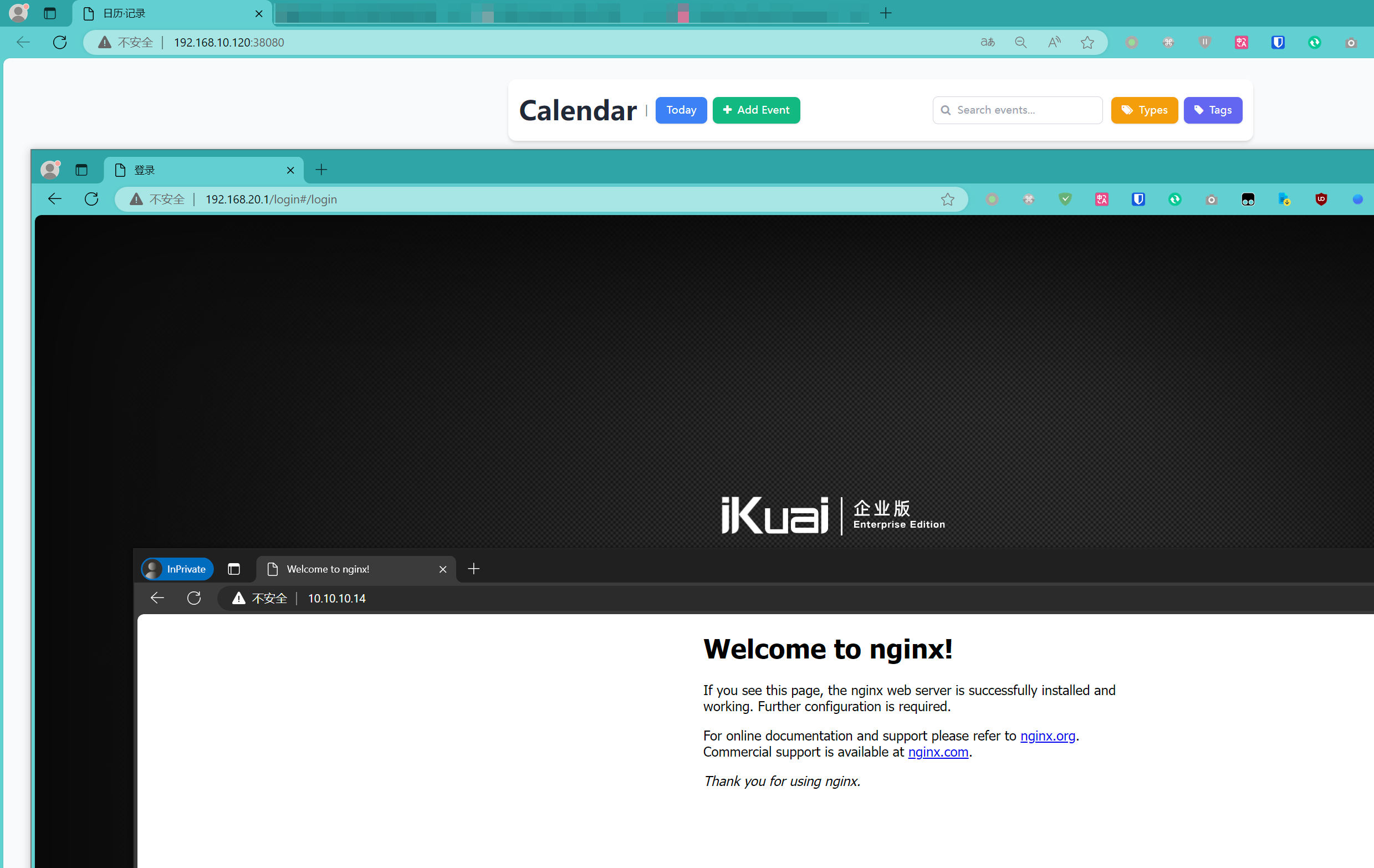
使用tinc实现的SDLAN大功告成。使用基本无感。